One link.
All your Macs.
Entanglo turns every Mac on your Wi-Fi into a single workspace. Mouse, keyboard, clipboard, files, printer — they flow between machines like one machine.
Free. macOS 13+. Apple Silicon & Intel. No account.
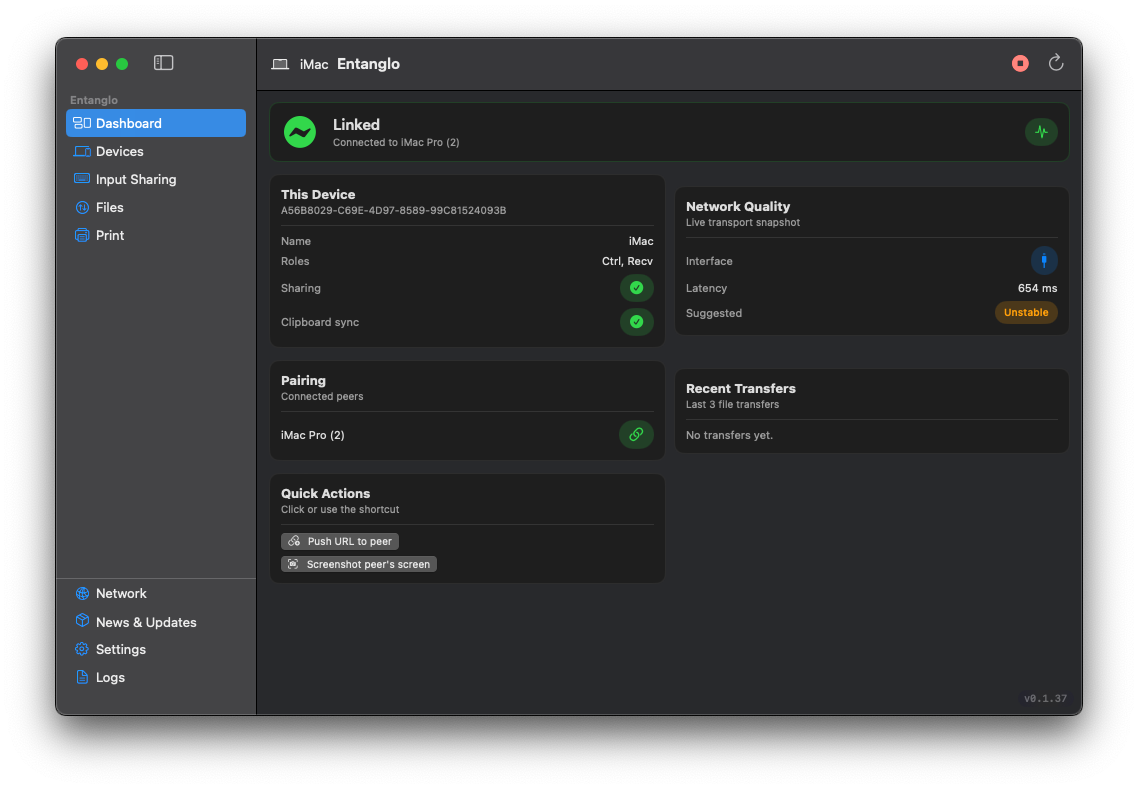
Pure Swift / SwiftUI. No Electron, no web view. The app runs at AppKit speed and feels like a part of macOS because it is.
Everything stays on your LAN. No cloud, no telemetry, no account — peers find each other via Bonjour and talk directly over TCP.
Trusted pairing is explicit. You approve every peer once. Revoke any time. Source-of-truth for your machines lives in your keychain, not ours.
Six features. One link. Zero friction.
Built for the way you actually use multiple Macs — at a desk, on the same Wi-Fi, jumping between machines all day.
Input sharing
One mouse, one keyboard, every Mac. Move past the edge of your screen and you're on the next machine — clicks, drags, double-clicks, modifiers, all native via CGEvent.
Universal clipboard
Copy on one Mac, paste on another. Text, rich text, images — synced over your LAN in milliseconds.
File drop
Drop a file in the link — it lands in the Downloads folder of the target Mac, chunked and verified.
Printer Bridge
Print from any Mac to the printer wired to just one of them. The bridge swaps Wi-Fi, sends the PDF, prints, and switches back — fully transparent.
Quick Actions
Push a URL to another Mac and it opens there. Grab a live screenshot of any peer. Emergency stop in one click — always in the toolbar.
Live network quality
Real RTT, packet loss, jitter — measured every second over the link itself, not a synthetic ping. You see exactly when the Wi-Fi misbehaves.
Install. Pair. Done.
Open Entanglo on every Mac you own. They discover each other automatically over Bonjour. Approve the pairing once and the link is live — secure TCP, encrypted handshake, opens a single port on your private network.
Get Entanglo- 01Install on every MacDrag Entanglo.app to /Applications on each machine. macOS 13+ required.
- 02Grant AccessibilityEntanglo posts mouse and keyboard events via CGEvent — macOS asks once.
- 03Pair on the LANBonjour finds your other Macs automatically. Confirm the pairing on both ends.
- 04Move your cursorPush past the edge of your display — you're on the next Mac. That's the link.
Make your Macs feel like one.
Free. Native. Private. The link your Macs were always missing.